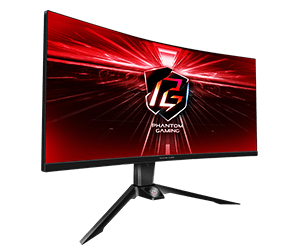
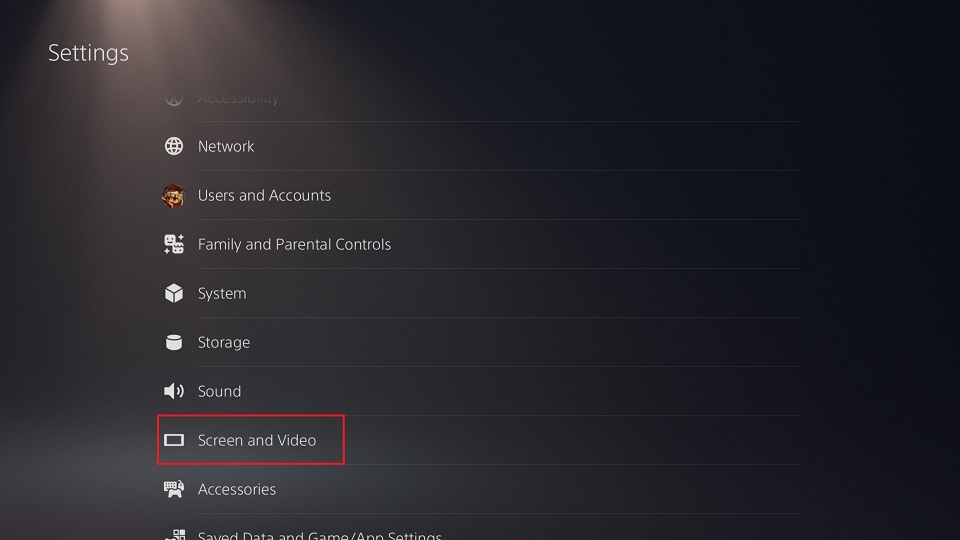
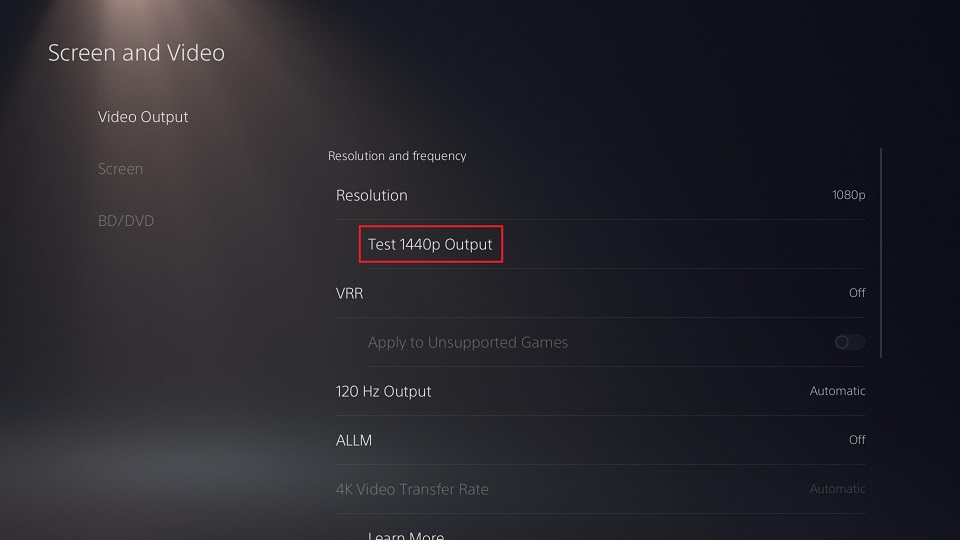
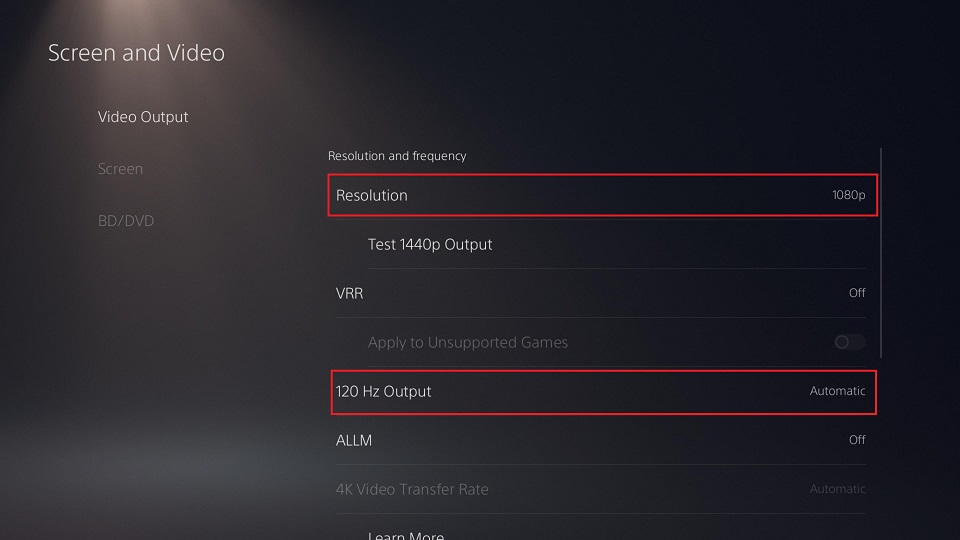
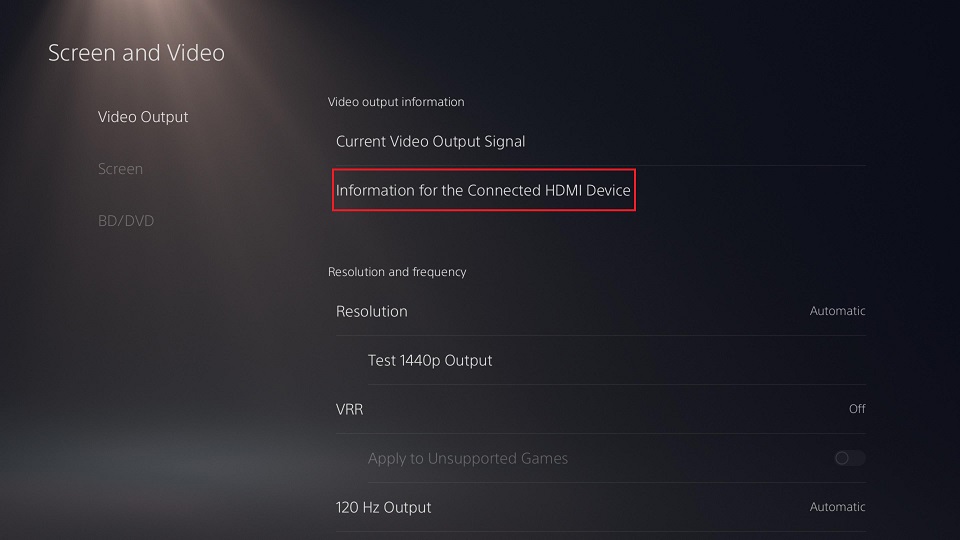
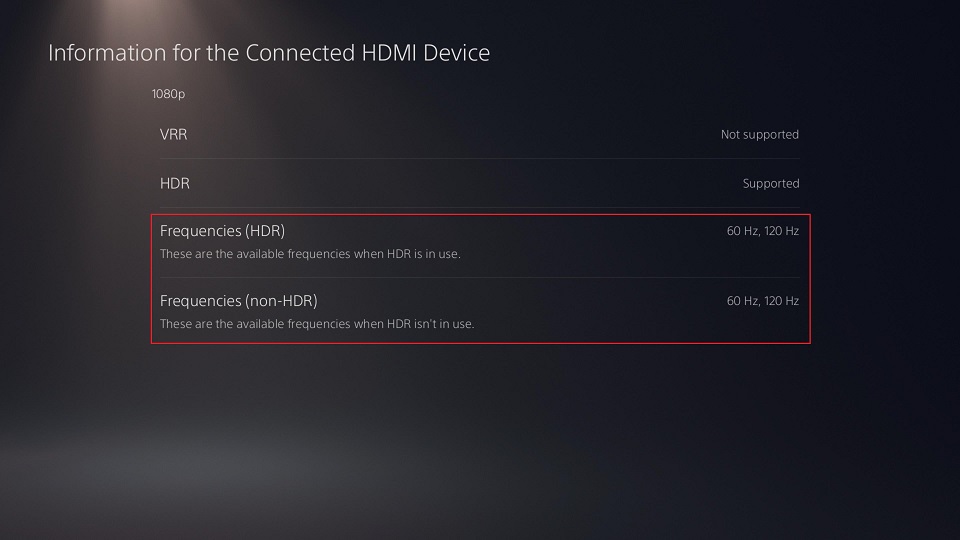
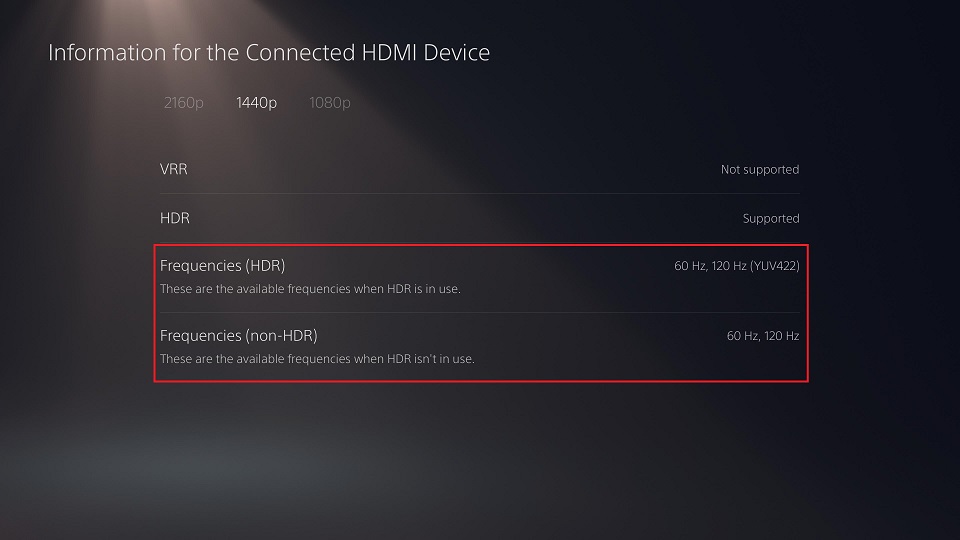
步驟 3. 選擇"Information for the Connected HDMI Device”(已連接HDMI設備的訊息)以檢查是否顯示120 Hz選項。
1080P:
1440P:
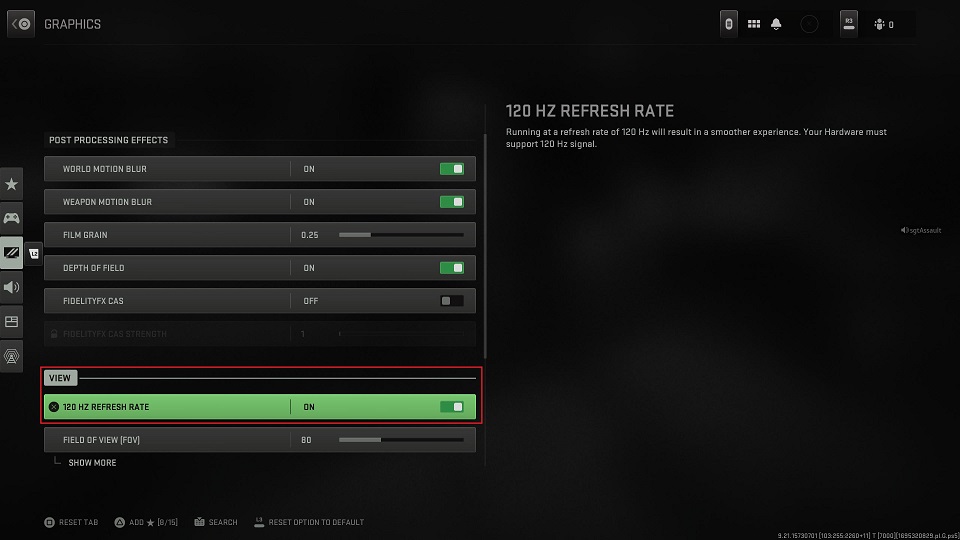
步驟 4. 進入遊戲並啓用120 Hz刷新率支援。 *請確保您的遊戲可以支援120Hz。
步驟 5. 當遊戲以120 Hz運行時,您可以暫停遊戲並進入"Settings>Screen and Video>Current Video Output Signal”,檢查PS5是否輸出120 Hz内容。 Screen and Video>Current Video Output Signal” to check if the PS5 is outputting the 120 Hz content.">
Screen and Video>Current Video Output Signal” to check if the PS5 is outputting the 120 Hz content.">
 Menu
Menu







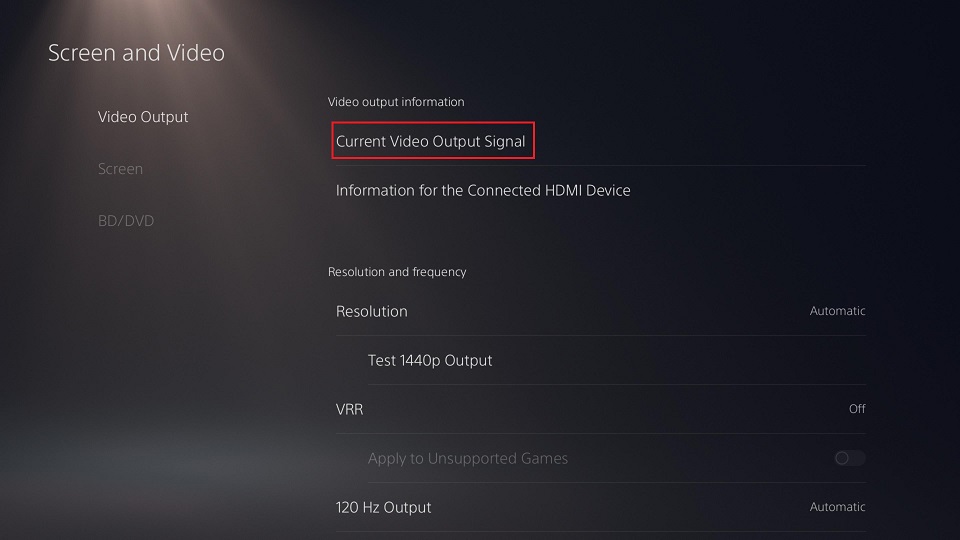 Screen and Video>Current Video Output Signal” to check if the PS5 is outputting the 120 Hz content.">
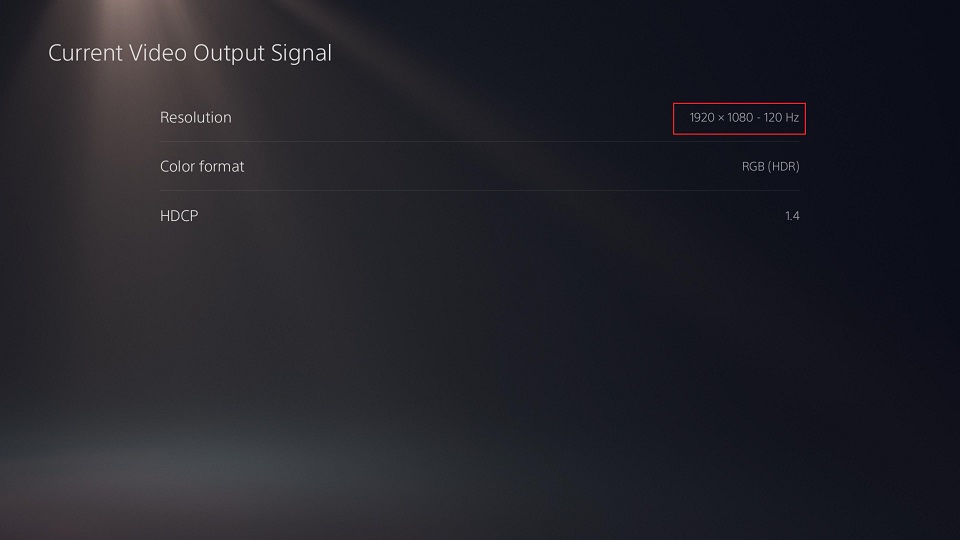 Screen and Video>Current Video Output Signal” to check if the PS5 is outputting the 120 Hz content.">