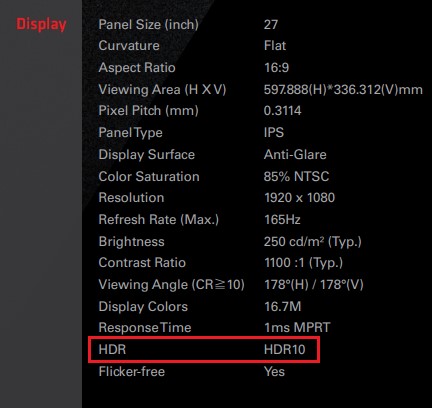
問題: How to enable HDR function under Windows?(8/9/2022) 回答: First check if your monitor supports HDR function. (High Dynamic Range) You may check the product specifications on the ASRock website: https://www.asrock.com/index.asp
E.g. ASRock Gaming Monitor PG27FF1A supports HDR function.
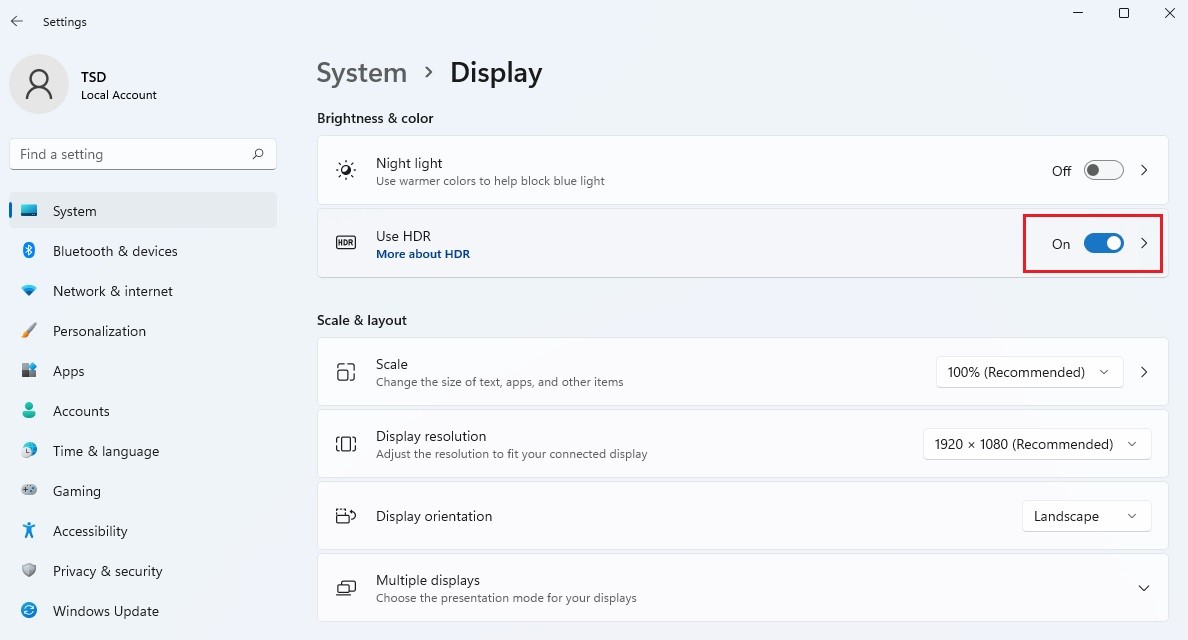
Settings under Windows 11: 1) Go to Settings> System> Display. 2) If your monitor supports HDR function, you may enable it.
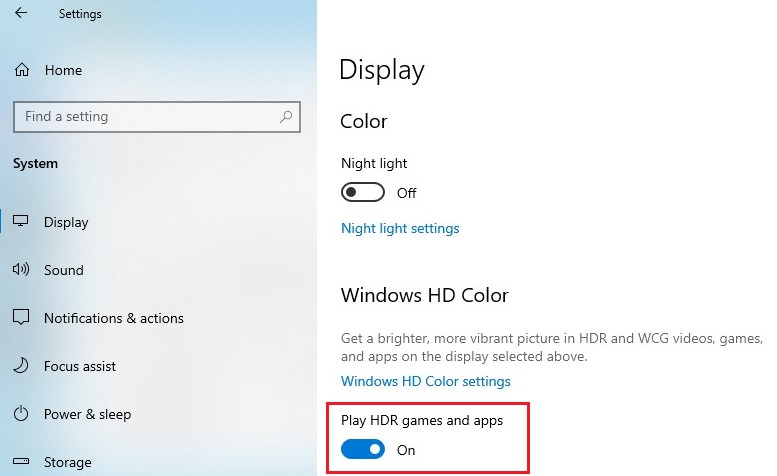
Settings under Windows 10: 1) Go to Settings> System> Display. 2) If your monitor supports HDR function, you may enable it. Hardware requirements - Processor: Intel 7th gen. processor or later - Graphics card: NVidia GTX 10 Series or later/AMD RX500 Series or later
Software requirements - OS: Windows 10 (ver:1709 or later) - Software: Movies & TV with HEVC Codec installed - Microsoft Edge Browser, PowerDVD 17 or later and VLC v3.0 (64bit) or later
 Menu
Menu