Build a Console-Style Steam Gaming PC with ASRock DeskMeet & DeskSlim
A More Flexible Way to Bring PC Gaming to the Living Room—On Your Terms and Budget
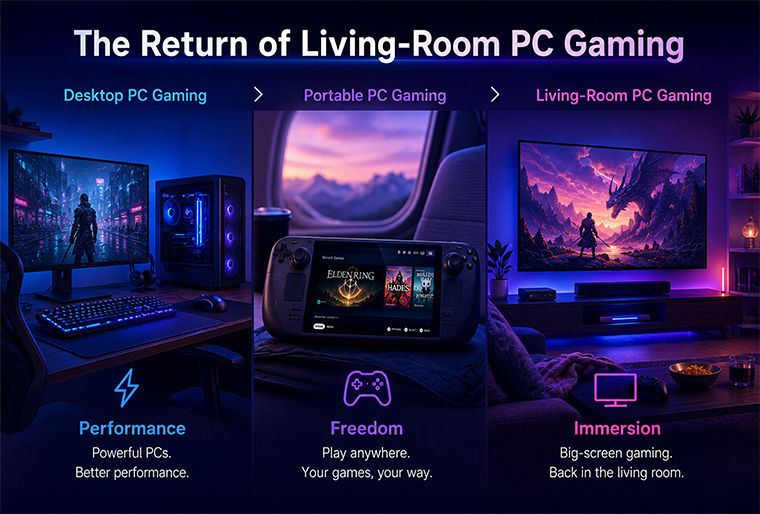
The return of the Steam Machine has brought living-room PC gaming back into the spotlight.
Rather than treating the Steam Machine as a traditional closed console, Valve describes it as an extension of the open PC gaming ecosystem. With SteamOS support also expanding to compatible living-room PCs, gamers now have more ways to bring their Steam library to the big screen.
For users who want greater control over performance, size, components, and budget, ASRock DeskMeet and DeskSlim Series provide flexible foundations for building a compact, console-style Steam gaming PC.
Short Answer
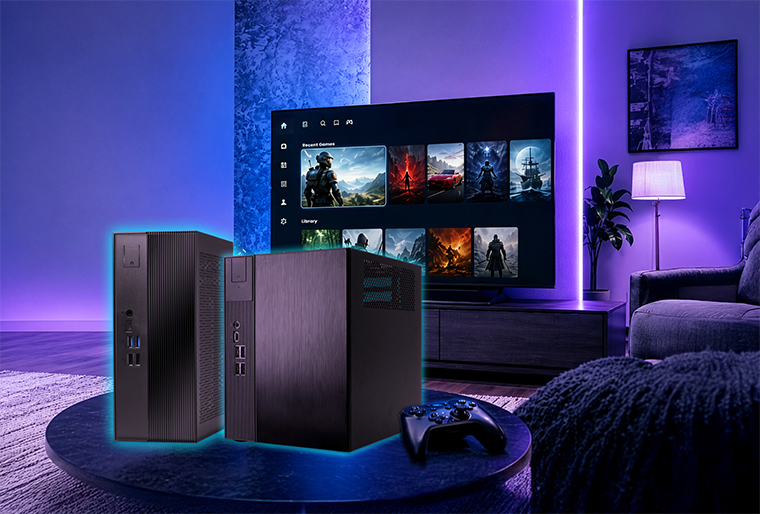
ASRock DeskMeet and DeskSlim Series can be configured as compact living-room gaming PCs that combine a controller-friendly experience with the flexibility of a desktop computer.
• DeskMeet Series is ideal for users who prioritize graphics performance, component selection, and future upgrades.
• DeskSlim Series is designed for users who want a slim living-room system without compromising desktop-class performance.
• Users can install a compatible gaming-focused operating system, connect a controller, and boot directly into a big-screen gaming interface.
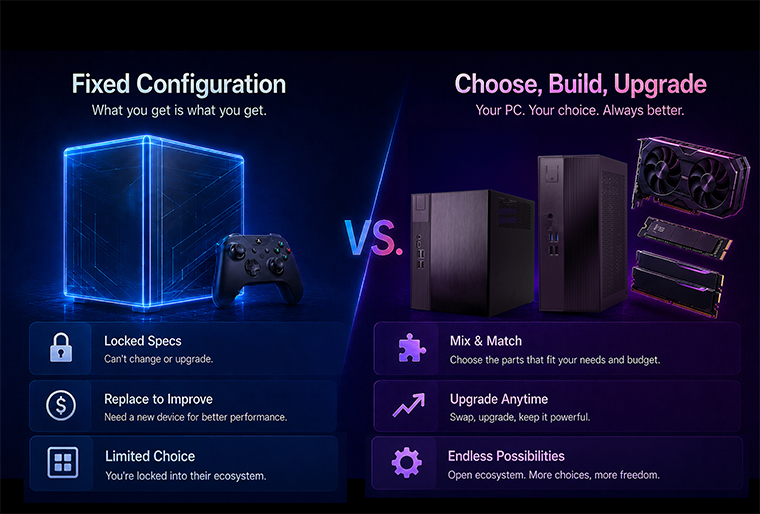
• Unlike a fixed console configuration, users can choose or reuse their own processor, graphics card, memory, and storage.
The result is a gaming system that feels familiar from the couch while remaining open, customizable, and upgradeable like a PC.
Why the Steam Machine Idea Is Back
The appeal of the Steam Machine is simple: bring the performance and game library of a PC into a more approachable living-room format.
Modern players increasingly expect:
• A controller-friendly interface
• Quick access to their game library
• A compact system that fits near the TV
• Smooth gaming performance
• Quiet operation
• The freedom to upgrade or replace components
• Access to a complete desktop environment when needed
Valve's new Steam Machine demonstrates renewed interest in this category. At the same time, Valve has emphasized that PC gaming should remain open and that SteamOS can also be used on compatible user-built living-room PCs.
This creates another option for PC gamers: instead of choosing a single fixed configuration, they can build a system around their preferred performance level, form factor, and budget.
Preconfigured Gaming System vs. ASRock DIY Gaming PC
Comparison | Preconfigured Living-Room System | DeskMeet or DeskSlim Build |
| Hardware configuration | Predetermined configuration | Choose compatible CPU, GPU, memory, and storage |
| Performance level | Fixed at purchase | Configure based on target games and resolution |
| Upgrade options | May be limited by the original design | Replace or upgrade individual components |
| System size | One fixed form factor | Choose an 8-liter or slim 5-liter platform |
| Budget control | Fixed package price | Reuse existing components or select parts by budget |
| PC functionality | Gaming-focused | Gaming, desktop applications, streaming, and productivity |
| Repairability | May require complete system service | Individual components can be serviced or replaced |
A DIY system may also provide better long-term value. Users can begin with a more affordable configuration, reuse an existing SSD or graphics card, and upgrade selected components later instead of replacing the entire system.
Choose the Right Compact Platform
DeskMeet Series: Performance and Upgrade Flexibility
With an 8-liter chassis, ASRock DeskMeet Series offers a balance between compact size and desktop-class expandability.
It supports desktop processors and can accommodate a dual-slot discrete graphics card up to 20 cm in length, giving users the freedom to select graphics performance based on the games they play. This makes DeskMeet particularly suitable for gamers targeting higher visual settings, demanding AAA titles, or higher-resolution displays.
Why Choose DeskMeet?
• Supports desktop processors
• Supports discrete graphics cards up to 20 cm
• Offers flexible memory and storage expansion
• Provides more room for performance-focused configurations
• Allows individual components to be upgraded over time
• Compact enough for a gaming desk, dorm room, or entertainment space
DeskMeet is the better choice for users who want a small gaming PC without giving up the ability to select a capable discrete graphics card.
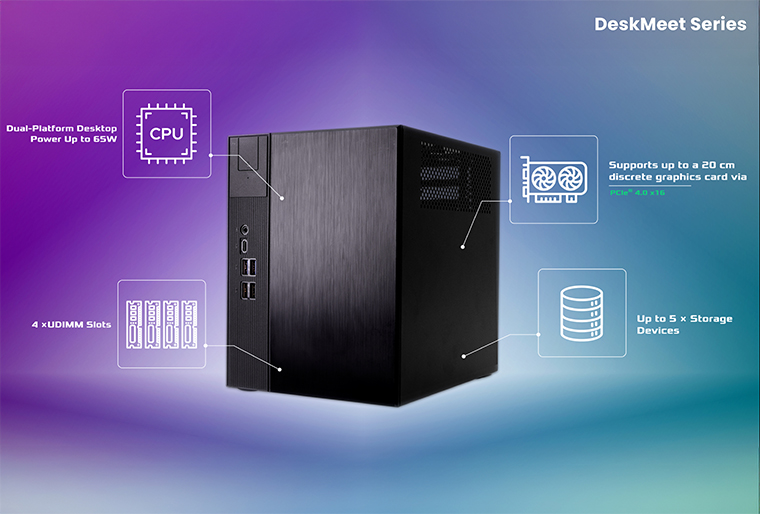
Suggested caption:
The compact 8-liter DeskMeet design provides room for desktop components and a discrete graphics card up to 20 cm, enabling users to build around their preferred gaming performance.
DeskSlim Series: Slim Design without Compromising Performance
For gamers who care about both performance and placement, DeskSlim Series provides a powerful yet space-efficient solution for living-room gaming.
Despite its slim 5-liter form factor, DeskSlim series supports desktop processors up to 125W and low-profile dual-slot graphics cards, bringing powerful desktop-class performance into the living room. Its slim chassis can be positioned horizontally beside a TV or vertically next to a monitor, making it well suited to modern entertainment spaces.
Why Choose DeskSlim?
• Slim 5-liter form factor
• Supports desktop processors up to 125W
• Designed for clean TV and monitor setups
• Supports low-profile discrete graphics
• Flexible memory and high-speed SSD expansion
• Suitable for gaming, entertainment, and everyday PC use
• Easier to integrate into compact rooms or entertainment cabinets
DeskSlim is ideal for users who want their gaming PC to blend naturally into the living room without looking like a traditional tower desktop.
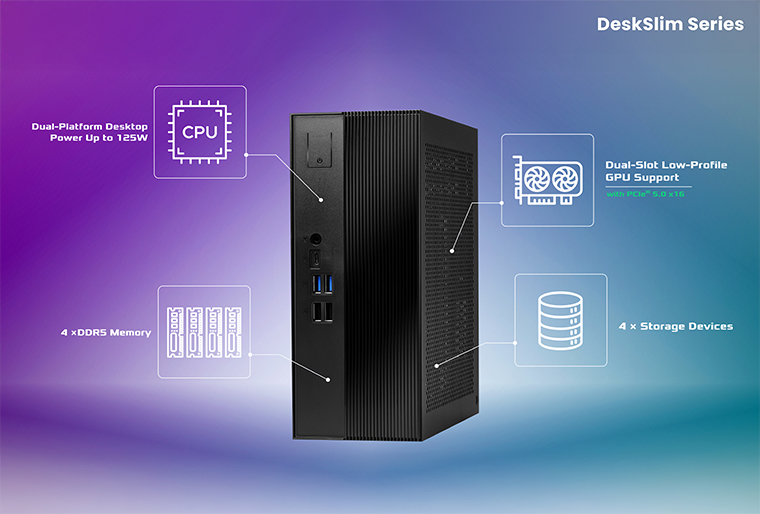
Suggested caption:
The slim DeskSlim design brings desktop-class flexibility to entertainment spaces where a traditional gaming tower may be too large.
DeskMeet or DeskSlim: Which One Should You Choose?
User Priority | Recommended Platform |
| High CPU performance | DeskSlim Series |
| Greater graphics card flexibility | DeskMeet Series |
| Higher-performance DIY configuration | DeskMeet Series |
| Slim TV cabinet placement | DeskSlim Series |
| Minimal living-room footprint | DeskSlim Series |
| Easier future component upgrades | DeskMeet Series |
| Clean, console-style appearance | DeskSlim Series |
| Gaming plus desktop productivity | Both |
There is no single configuration that fits every gamer. DeskMeet prioritizes graphics card flexibility and future expansion, while DeskSlim combines a space-efficient design with support for more powerful desktop processors.
Bring a Console-Style Experience to Your PC
Hardware is only one part of the experience. The operating system and interface determine whether the system feels like a desktop PC or a gaming device.
There are two main software approaches users can consider.
Option 1: SteamOS
SteamOS is Valve's Linux-based gaming operating system, designed around a controller-friendly interface while retaining access to a traditional Linux desktop.
Valve states that SteamOS 3.8 can also run on compatible user-built living-room PCs. Current official desktop support primarily focuses on systems using AMD graphics, so users should check the latest hardware requirements before installation.
Option 2: Bazzite with Steam Gaming Mode
Bazzite provides an HTPC-oriented image featuring Steam Gaming Mode. It is designed to boot into a controller-friendly interface for couch gaming while still offering access to a desktop environment.
Bazzite recommends modern AMD graphics for the most straightforward HTPC experience. NVIDIA® Steam Gaming Mode images are available, although the official documentation notes that NVIDIA® support may still involve important limitations or compatibility caveats.
Follow Our Step-by-Step Bazzite Installation Guide
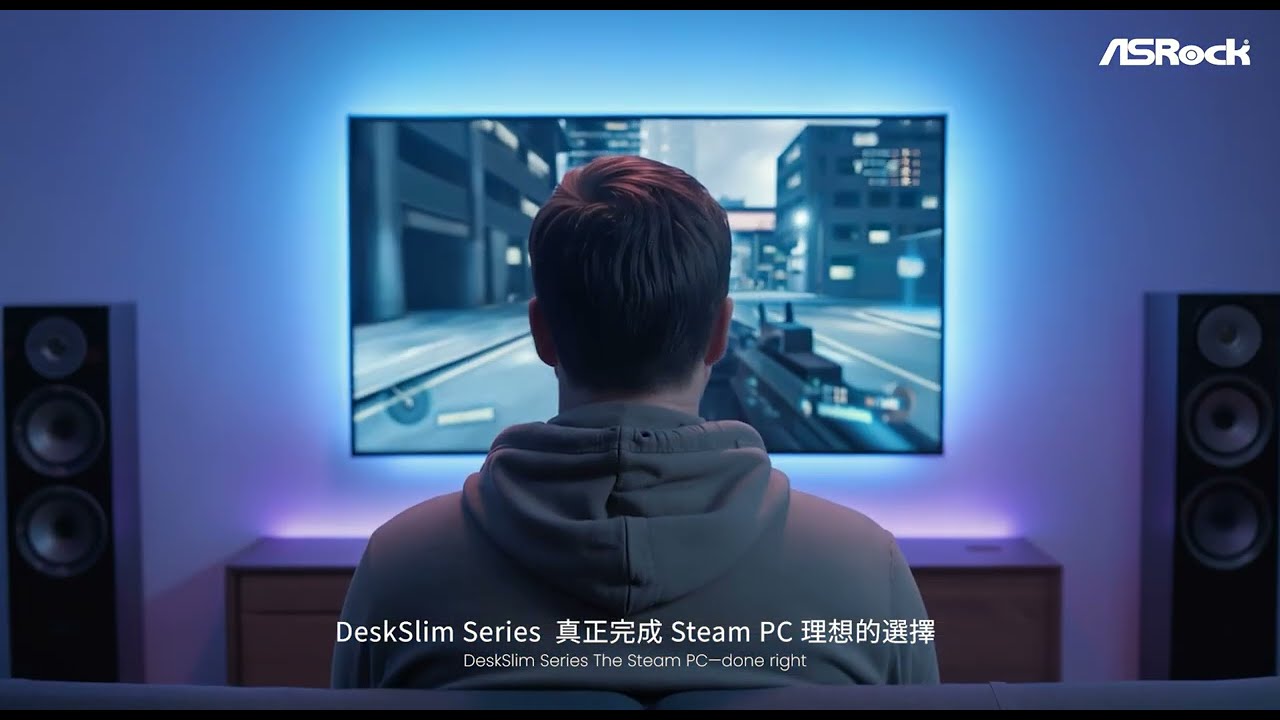
To help users turn DeskMeet or DeskSlim into a console-style living-room gaming PC, ASRock has prepared a step-by-step video guide covering the complete Bazzite setup process.
The video walks users through:
• Installing the Bazzite operating system
• Configuring automatic login
• Launching Steam Big Picture Mode automatically at startup

How to Build Your Living-Room Gaming PC
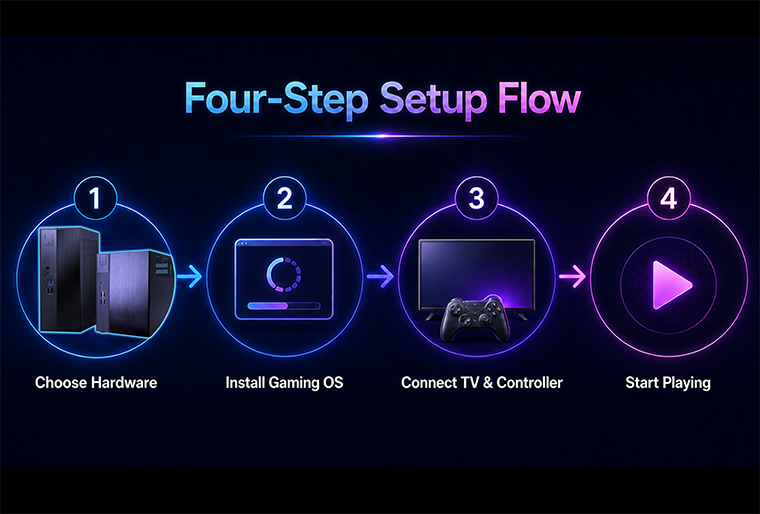
The exact process depends on the selected hardware and operating system, but the basic setup can be completed in six main steps.
Step 1|Choose Your Platform
Choose DeskMeet for greater graphics card flexibility or DeskSlim for a slimmer entertainment setup.
Step 2|Select Compatible Components
Install a compatible processor, graphics solution, memory, and SSD based on the performance level and games you plan to play.
Step 3|Install the Gaming Operating System
Install a compatible SteamOS version, Bazzite HTPC image, or another preferred operating system.
Step 4|Configure the Gaming Interface
Enable automatic login and configure the system to launch directly into Steam Gaming Mode or Steam Big Picture Mode.
Step 5|Connect to the Big Screen
Connect the system to a TV or monitor through HDMI or DisplayPort and pair a supported wired or wireless controller.
Step 6|Sign In and Start Playing
Sign in to Steam, download compatible games, configure display settings, and begin gaming from the couch.
Hardware, controller, game, and operating-system compatibility may vary. Users should verify the latest support information before selecting components.
More Than a Gaming Console
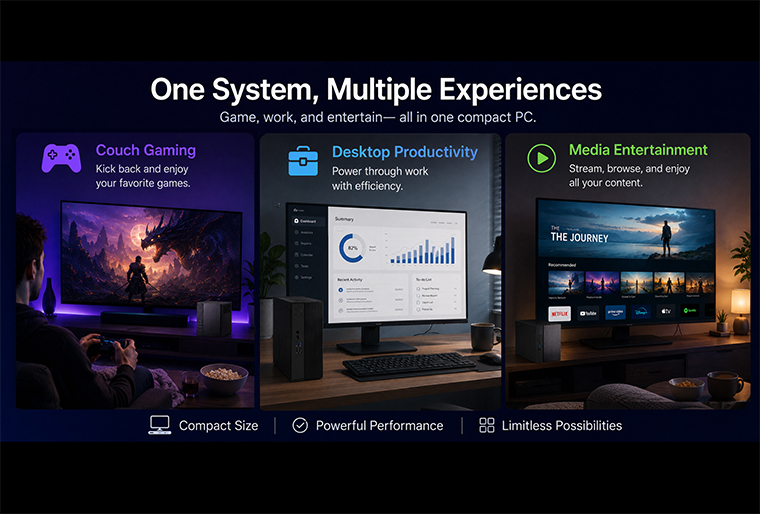
A DeskMeet or DeskSlim gaming system is not limited to Steam gaming.
Users can switch to desktop mode for:
• Web browsing and media streaming
• Productivity and office applications
• Game streaming and recording
• Content creation
• Additional game launchers
• Local storage and media playback
• General desktop computing
This is one of the major advantages of an open PC platform: the same compact system can function as both a living-room gaming device and a complete personal computer.
Who Is This Build For?
Living-Room Gamers | DIY PC Enthusiasts | Space-Conscious Users | Upgrade-Focused Gamers |
| Players who want to access their PC game library from the couch with a controller-friendly interface. | Users who prefer selecting their own CPU, GPU, memory, and storage instead of purchasing a fixed configuration. | Gamers living in apartments, dorm rooms, or rooms where a full-size tower is impractical. | Users who want to replace individual components as their performance needs change. |
Key Takeaways
• The renewed Steam Machine discussion has brought living-room PC gaming back into focus.
• DeskMeet Series offers an 8-liter platform with greater graphics card and upgrade flexibility.
• DeskSlim Series combines a slim 5-liter design with support for AMD desktop processors up to 125W and low-profile discrete graphics.
• Users can select or reuse components to better control performance and total build cost.
• SteamOS and Bazzite provide controller-friendly software options for compatible hardware.
• Unlike a closed console, the finished system remains a complete, customizable desktop PC
Conclusion
The return of the Steam Machine proves that gamers still want a simple way to bring PC gaming to the big screen.
However, living-room gaming does not need to be limited to one system size, one hardware configuration, or one performance level.
With ASRock DeskMeet and DeskSlim Series, users can build around their own priorities—whether that means stronger graphics performance, a slimmer chassis, reusable components, additional storage, or future upgrades.
DeskMeet delivers compact performance and expansion, while DeskSlim combines gaming flexibility and powerful performance in a cleaner, slimmer form factor. Combined with a controller-friendly gaming interface, both platforms offer a customizable way to turn the living room into a complete PC gaming space.
Build it your way. Play it your way.
[Learn More]
• Explore ASRock DeskMeet Series
DeskMeet X600
https://www.asrock.com/nettop/AMD/DeskMeet%20X600%20Series/index.asp
DeskMeet B760
https://www.asrock.com/nettop/Intel/DeskMeet%20B760%20Series/index.asp
• Explore ASRock DeskSlim Series
DeskSlim X600
https://www.asrock.com/nettop/AMD/DeskSlim%20X600%20Series/index.asp
DeskSlim B760
https://www.asrock.com/nettop/Intel/DeskSlim%20B760%20Series/index.asp#Specification
Watch the Living-Room Gaming PC Setup Guide
FAQ
1. Are ASRock DeskMeet and DeskSlim official Steam Machines? No. DeskMeet and DeskSlim are ASRock compact PC platforms and are not official Valve Steam Machine products. They can be configured to provide a similar living-room PC gaming experience using compatible hardware and software.
2. Should I choose DeskMeet or DeskSlim? Choose DeskMeet if graphics card flexibility and future upgrades are your main priorities. Choose DeskSlim if you prefer a slimmer system that fits more naturally beside a TV or inside an entertainment setup.
3. Do I have to install SteamOS? No. Users can choose SteamOS, Bazzite, or Windows® with Steam Big Picture Mode depending on hardware compatibility, game requirements, and personal preference.
4. Can every Steam game run on a Linux gaming system? Game compatibility varies. Many Windows® games can run through Proton, but certain games, anti-cheat systems, launchers, or hardware features may not be fully supported. Users should check Steam compatibility information for individual games.
5. Can I upgrade the system later? Yes. One of the main benefits of a DIY PC platform is the ability to replace or upgrade compatible memory, storage, processors, or graphics cards without purchasing an entirely new system.