How to Choose an AI PC Power Supply Unit ASRock PSU Buying Guide
1. Why Does an AI PC Need a More Stable PSU?
AI PCs, generative AI applications, video creation, and high-end gaming require GPUs to run under high loads for extended periods. Therefore, a power supply unit (PSU) does much more than simply provide wattage—it directly impacts overall system stability, thermal performance, acoustic noise, and long-term reliability. Choosing the right PSU minimizes the risk of system restarts, unstable power delivery, cable overheating, and limitations on future hardware upgrades.
2. Five Key Factors in Choosing an AI PC PSU
• Maintain Wattage Headroom: Do not rely solely on the GPU's recommended wattage. Account for the CPU, motherboard, SSD, cooling fans, and future upgrade headroom.
• Support for ATX 3.1 / PCIe 5.1: Ensures better compatibility and handling of transient power spikes inherent to modern high-end graphics cards.
• Native 12V-2x6 Cabling: Reduces the need for adapters, ensuring cleaner, safer, and more direct power delivery to the GPU.
• 80 PLUS Gold Efficiency or Higher: 80 PLUS Gold is ideal for most AI PCs; long-running workstations may benefit from Platinum-tier efficiency.
• Robust Protection Mechanisms & Cable Quality: Comprehensive protections such as OVP, OPP, SCP, and OTP combined with high-quality cabling ensure stable long-term operation.
3. PSU Wattage Recommendations
Refer to the following matrix to match your usage scenario with the recommended PSU wattage:
Usage Scenario | Recommended PSU Wattage |
| Entry-level AI PC / Mainstream Graphics | 650W - 750W |
| High-end Gaming, AI Image Generation, Video Creation | 850W - 1000W |
| High-end GPU / AI Creation Workstation | 1000W - 1300W |
| Flagship GPU / Long-term High-load Computation | 1200W - 1600W |
| Multi-GPU / Professional AI Workstation | 1600W+ (Evaluate based on system configuration) |
4. ASRock PSU Recommendation Overview
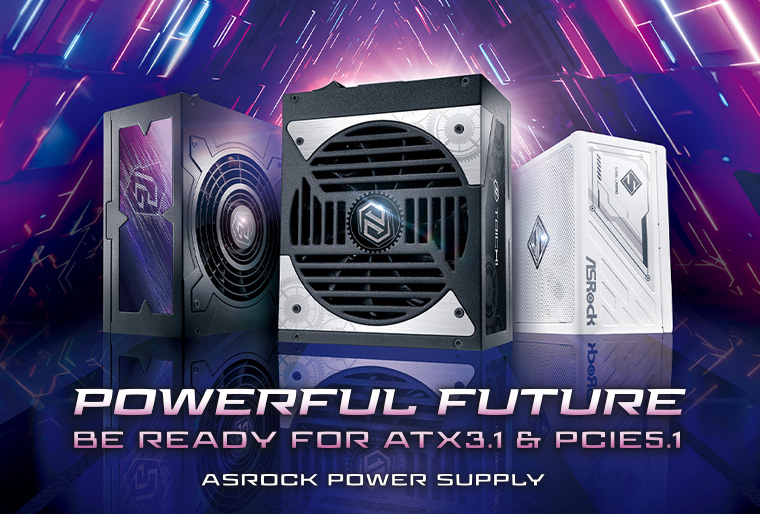
ASRock offers a comprehensive PSU product line tailored to diverse workloads and deployment scenarios. The Steel Legend and PRO series are ideal for mainstream AI PCs and high-performance gaming platforms. The Phantom Gaming series suits high-end GPUs, AI content creation, and enthusiast setups. Finally, the Taichi series is engineered for flagship platforms and demanding, continuous high-load workstations. Users can select models featuring ATX 3.1 / PCIe 5.1 support, native 12V-2x6 cabling, and Gold/Platinum efficiency ratings based on their GPU class, system power consumption, and upgrade trajectory.
5. Precautions for Installing 12V-2x6 Cables
• Prioritize using the modular cables provided directly by the PSU manufacturer.
• Never mix modular cables from different PSU brands or models.
• Ensure the 12V-2x6 connector is fully inserted until securely latched to prevent looseness.
• Avoid excessive bending, pulling, or physical strain on cables near the connector interface.
• Verify the PSU fan intake direction and align it properly with the chassis thermal airflow path.
Conclusion
An AI PC requires far more than just a powerful CPU and GPU; it demands a stable, dependable power supply unit. For high-end graphics cards or continuous AI workloads, investing in a PSU with ample wattage headroom, ATX 3.1 / PCIe 5.1 support, native 12V-2x6 connections, 80 PLUS Gold (or higher) efficiency, and robust protection mechanisms is essential. ASRock's robust PSU lineup provides flexible options ranging from mainstream AI builds to enterprise-grade workstations, helping users build resilient and reliable AI computing platforms.
Frequently Asked Questions (FAQ)
Q1: Does an AI PC strictly require a 1000W PSU?
Not necessarily. Mainstream AI PCs can comfortably start with 650W–850W. However, if you are utilizing high-end GPUs or planning future hardware expansions, a 1000W or higher PSU is highly recommended.
Q2: Will purchasing a higher-wattage PSU consume more electricity?
No. Actual power consumption is dictated strictly by the system load. A higher-wattage PSU simply provides greater power headroom and upgrade flexibility without increasing idle or active power draw.
Q3: How should I choose between Gold and Platinum efficiency?
80 PLUS Gold is fully sufficient for standard AI PC deployments. For workstations operating under heavy, continuous loads for prolonged periods, Platinum efficiency provides higher conversion rates and improved thermal performance.